Basic
A focused, one-time review for one agreed priority: before the move.
QUOTED TO SCOPE
Request a Quote
Price and billing confirmed in your proposal (USD)
- URL inventory and priority pages
- Risks identified before the move

Search · Migration
Moving to a new domain, platform or design? Map the pages that bring customers in, test the new site before release and track what happens to search visibility after launch.
SEO migration is the work of carrying your search visibility and customer journeys through a domain change, rebrand, redesign or platform move. Even a hosting change can affect how reliably people and search engines reach your pages.
Before your team locks in the new site structure, we identify which pages bring customers in and where those visitors should land after launch. We agree who owns redirects, content and tracking with your release team, so each issue has a route to resolution.
Explore SEO Audit Services
Plans & pricing
Quotes are in USD. We confirm the work, limits and payment schedule in writing before you commit.
A focused, one-time review for one agreed priority: before the move.
QUOTED TO SCOPE
Request a Quote
Price and billing confirmed in your proposal (USD)
A project for a team that also needs help with this step: at release. Scope and quantity agreed before work.
QUOTED TO SCOPE
Request a Quote
Price and billing confirmed in your proposal (USD)
A broader engagement including follow-up: after launch. Review cadence and ongoing or project billing agreed in the proposal.
QUOTED TO SCOPE
Request a Quote
Price and billing confirmed in your proposal (USD)
For a complex move with several templates, domains or markets.
TAILORED SCOPE
Request a Quote
Price and billing confirmed in your proposal (USD)
Give each stage a clear decision, an owner and a deliverable your team can use before it moves to the next one.
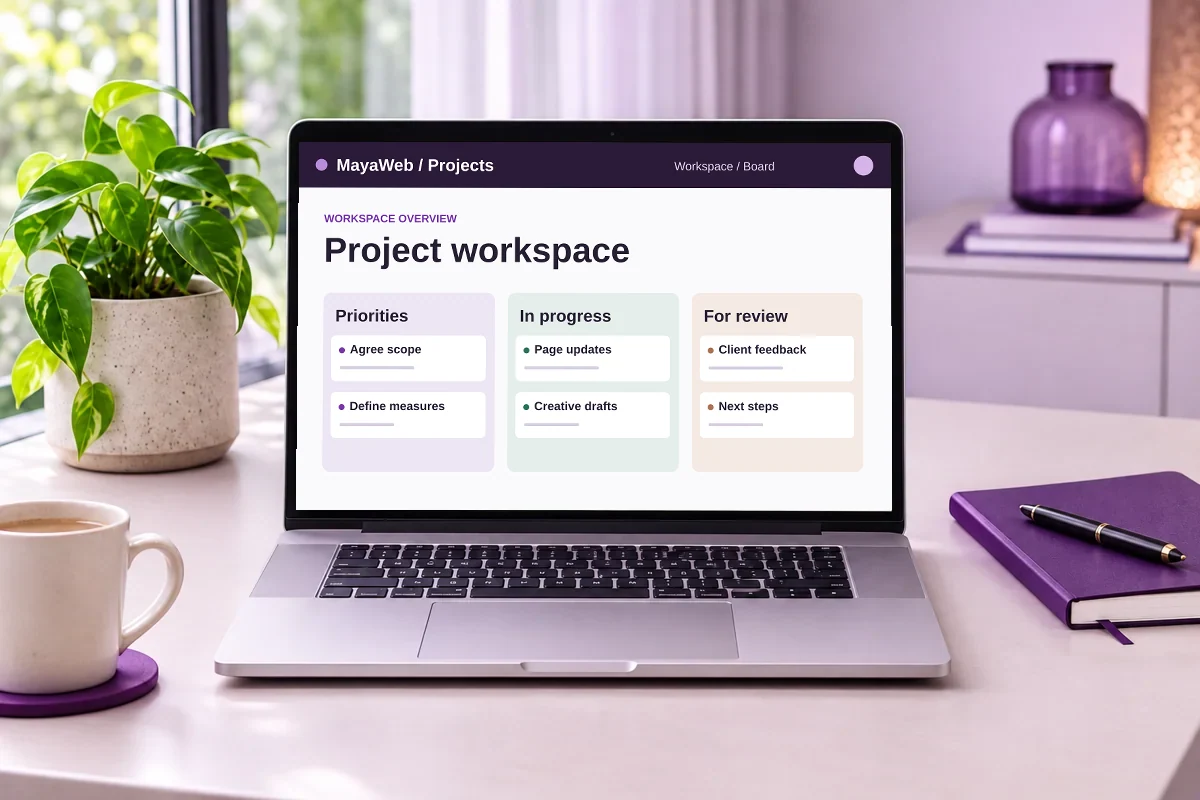
We start with the reason for the move. A new brand domain, a redesign and a platform switch put different parts of the business at risk. We ask which pages bring in customers, which integrations support bookings or orders, how much content and data will move, and what the launch date depends on.
We identify who can approve URL changes, release code and confirm enquiries or orders. For a SaaS site, the brief may need to account for documentation and demo flows as well as marketing pages. For a shop, it may include filters, product variants and inventory updates.
Handover. An agreed brief with business priorities, access requirements, decision owners and the release constraints.

We combine a site crawl with Search Console, analytics and backlink data where available. That gives us a baseline for crawlability, indexing, titles and content, loading speed, important queries and the actions those visitors take. It also brings old landing pages and externally linked files into the plan.
We group pages by purpose and template, then decide what stays, moves, merges or retires. For a store with slow product pages and outdated titles, the audit can distinguish fixes that need to ship with the new template from improvements the content team can make after launch.
Handover. A priority URL inventory, findings by impact and a migration plan with redirect and testing scope.
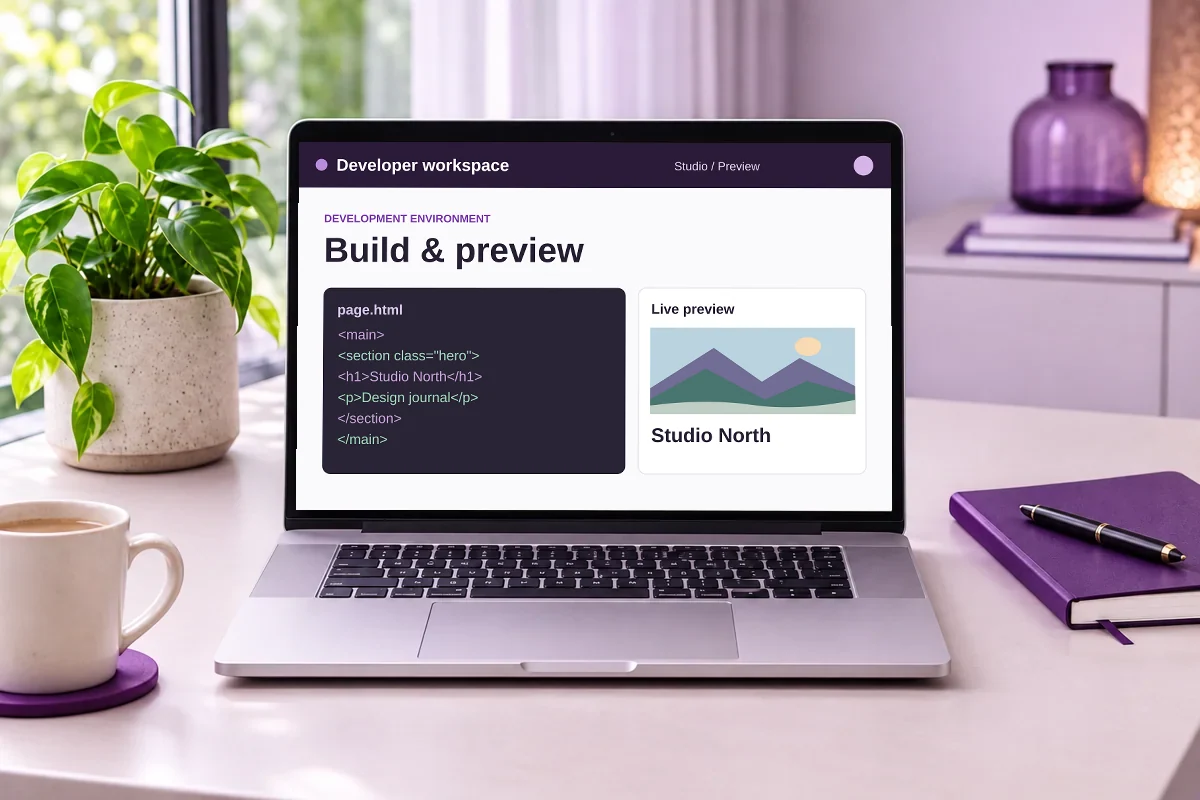
We work with your development or hosting team to prepare a test copy with representative pages, products, media and integrations. Access controls keep staging private while your team reviews the new experience. The live site can continue to serve customers as the new site is tested.
Run a trial import and compare what arrived with the source. Check images, downloads, stock fields and links in a representative sample. Use test accounts and safe data for checkout, email and forms. Agree how new orders or content created before the switch will carry over.
Handover. A staging review with import findings, launch configuration checks and actions for each owner.

Put the agreed URL decisions and content plan into effect on the new platform. Carry over page titles, headings, product details, media and structured data where they remain appropriate. Update navigation, breadcrumbs and editorial links to the final destinations so the new site can be browsed directly.
We check how the new design, data and features work together. A Shopify move might redirect /shop/boots to /collections/boots when the collection carries the same range. Product records, price information and variant selectors need to agree with what shoppers can actually buy.
Handover. A release list covering redirects, migrated content and templates, integrations and remaining implementation tasks.
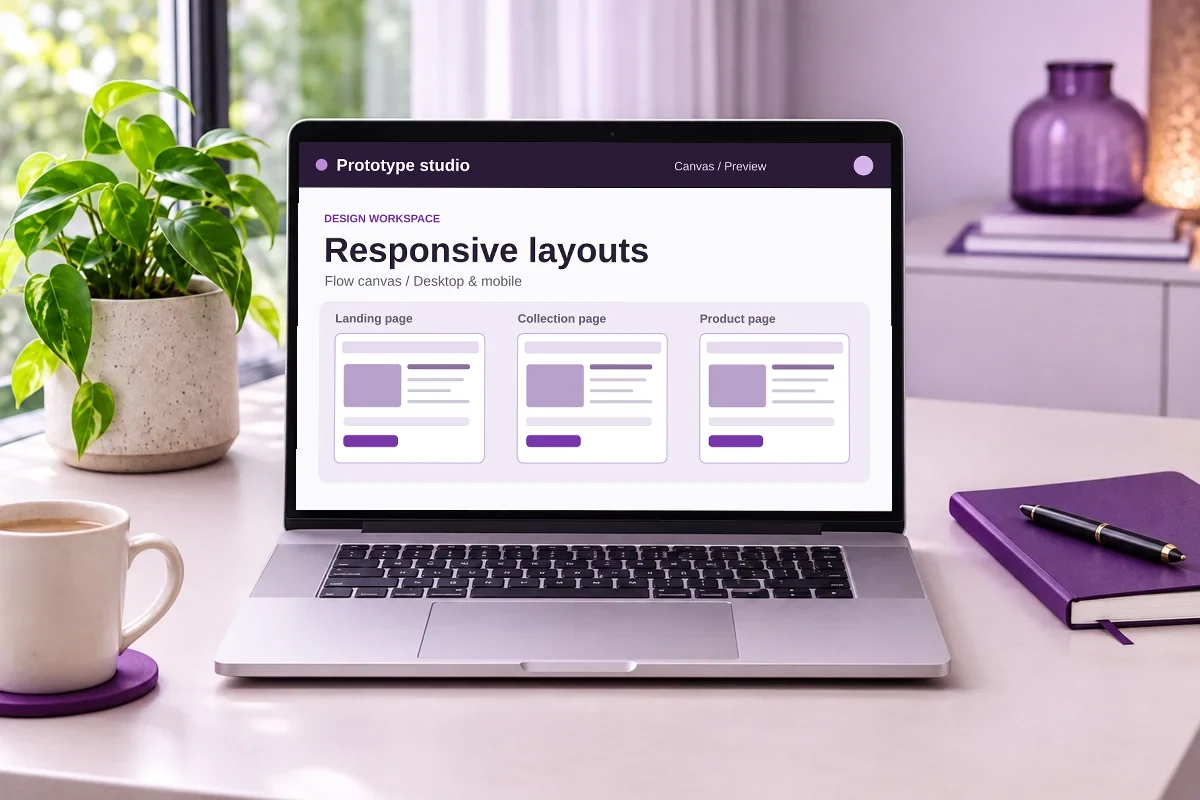
Test representative landing pages and customer journeys across browsers, devices and screen sizes. Follow old addresses to their final URLs. Check response codes, canonical tags, XML sitemaps, HTTPS, mobile layouts and page speed. Review how a person reaches a product, booking or enquiry form from a deep link.
Fix broken paths and retest changes on the affected templates. Confirm forms and checkout in the agreed test mode, and verify analytics events alongside the actual action. Record release blockers, acceptable follow-up work and the person who can approve launch.
Handover. A QA log with results, unresolved items, launch sign-off and rollback conditions.
Agree a release window with your team and keep the people who can fix routing, hosting and conversion issues available. After the switch, test the live site, first checking priority redirects, crawl access, sitemaps, forms and checkout. Use the agreed rollback decision if a release blocker appears.
Follow the post-launch checklist for the monitoring period agreed in your scope. Compare clicks, impressions, indexed pages and conversions with the baseline by group. Log changes such as fixes, campaigns or catalogue updates so your team can investigate what moved and respond to early issues.
Handover. A live launch check and a record of the issues, owners and next review dates agreed with your team.
A migration plan has to work for the business owner, the people implementing it and the team checking the live site. Use the same records to agree what matters, verify the release and investigate any issues afterwards.
Review my migration planSave the priority URL groups, organic searches and tracked actions with their dates. Record known tracking gaps and any seasonal or campaign activity that could explain a change near release.
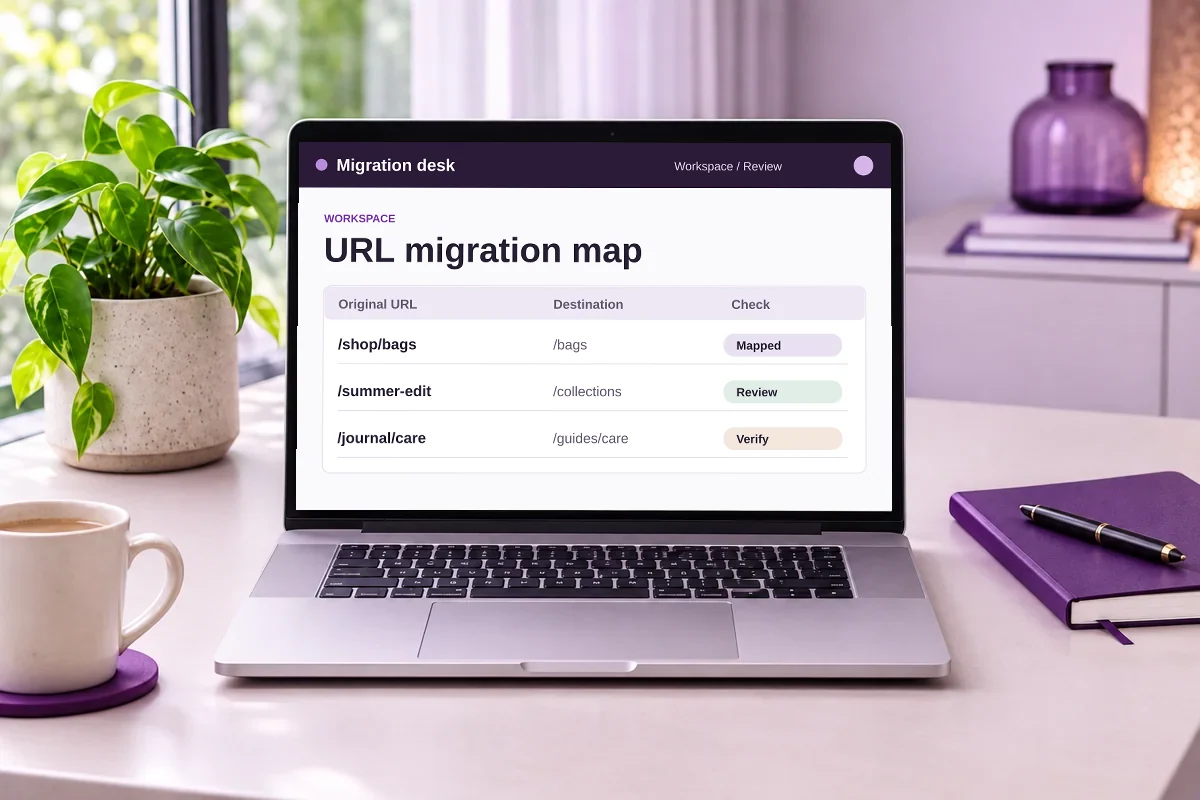
Show the old address, destination and expected status alongside the reason for the choice. Where a rule covers many pages, include examples and exceptions that a reviewer can test.
Sample key templates such as product, category, service and article pages. Include pages with external links, regional versions and routes into important customer actions.
Record which checks must pass, who approves the release and when a failed check calls for a rollback. Agree how editors and developers will coordinate changes around the switch.
Compare priority page groups against the baseline. For each issue, record the evidence, the next check and who can make the fix so the work can continue after handover.
Start by separating changes to the public address, the content and the technology that serves it. That makes it easier to work out what must be mapped, imported and tested.
Decide which addresses will represent the new brand and how the old site will forward visitors. Keep control of the old domain and confirm it can serve the redirects. Plan for print materials, emails, partner links and business listings that people may still use long after the switch.
An established service page can keep the same purpose under its new address. Keep its strongest information through the move and update brand mentions and contact details wherever customers use them.
Compare the two platforms before agreeing the URL map. The new CMS may require different paths for products, categories, posts and media. Its rules for variants, search filters and pagination can also change what people and crawlers can reach.
Include a sample import in the plan. Check that key fields reached the right templates and that menus, search, checkout or enquiry forms still take visitors to useful destinations.
A redesign can change visibility even when page addresses stay the same. Look at which information, links and page sections are moving into new templates. A guide that was linked in the main navigation may become harder to discover if it moves behind a filter or loses its links from related pages.
Review the new layout against the main questions visitors need to answer before they buy, book or enquire.
When public URLs stay the same, focus on serving the same pages and assets reliably from the new infrastructure. Test the new host, TLS certificate, response codes, cache settings and availability of important pages. Monitor both environments as the DNS change reaches users.
Moving from HTTP to HTTPS changes the URLs people can reach. Align redirects, internal links, canonical tags and sitemap entries on the HTTPS version.
Inventory each site or catalogue before combining them. Identify pages that serve the same need and which version deserves to become the main destination. Give distinct pages their own targets when the offer or audience calls for it.
Coordinate the order of changes with the people responsible for search, content, engineering and customer support. Where a pilot is practical, use it to check the mapping and release workflow before extending it.
Document the country or language version of each priority page before changing folders, subdomains or country domains. Map each version to a useful equivalent in the same market. Review language switchers, regional canonicals, hreflang and links between versions after the move.
Check the local buying details that make a regional page useful, such as currency, delivery coverage and language. A correct redirect still needs to land on an appropriate offer.
A new site can look ready while old search results, bookmarks and referral links still send people to the wrong place. That can affect traffic, enquiries and orders.
Pages can lose visibility when they move to the wrong URL, lose relevant content or launch with staging restrictions still active.
Broken routes, outdated sitemaps and indexing errors can delay discovery of replacement pages and reduce visits from search.
Missing navigation links, slow mobile pages or a failed enquiry form can send visitors away before they buy or get in touch.
A domain change can strand valuable links on old URLs. That can cost referral visits and weaken the signals those links pass to your pages.
Important old URLs lead to relevant new pages. Search engines can crawl those destinations, and customers can still reach your checkout, booking flow or enquiry form. You have a baseline to compare against when the site goes live.
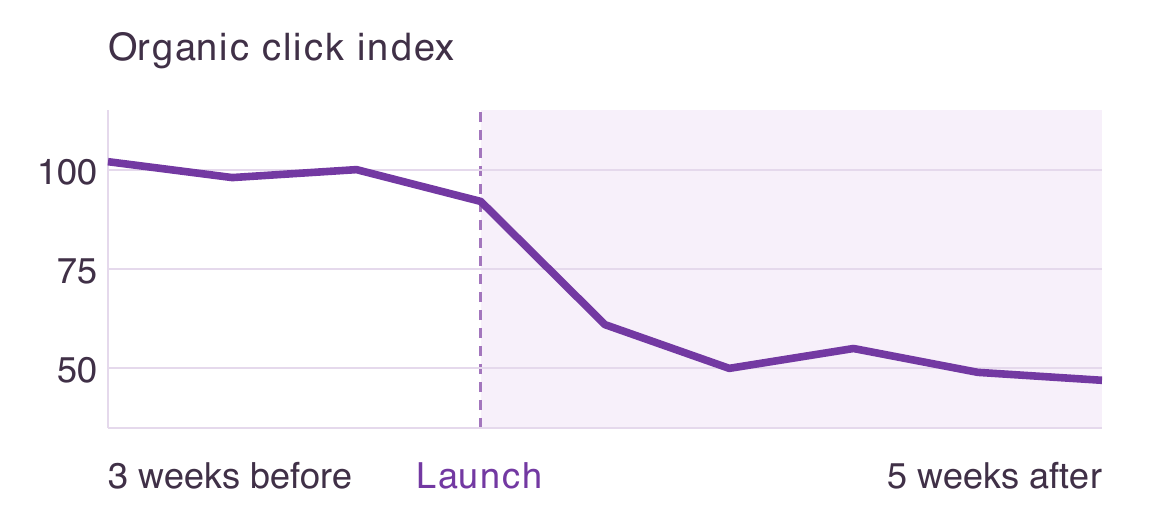
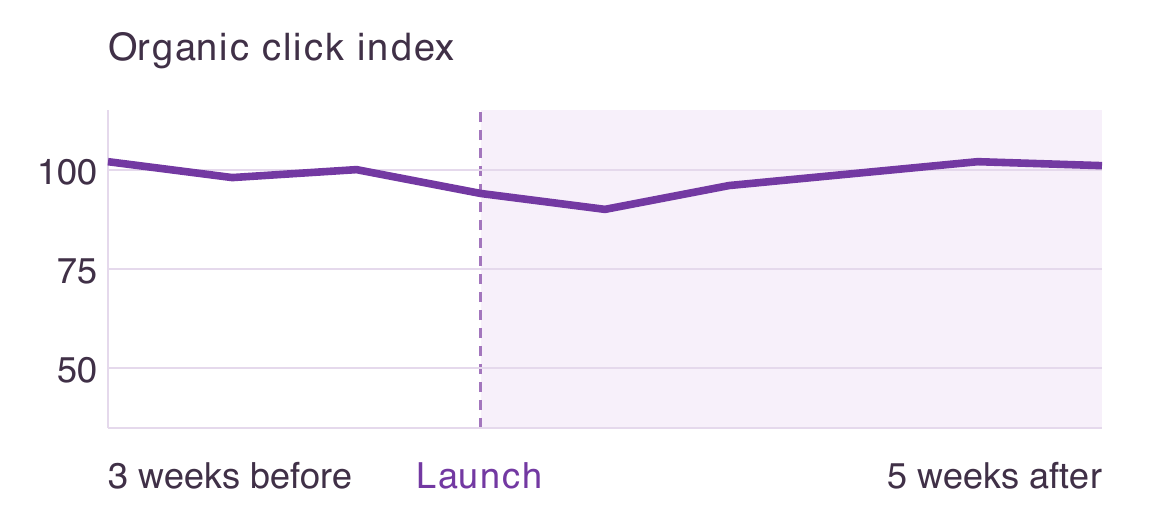
Clicks and rankings can move while search engines revisit the site. Review changes by page and template, alongside tracking, so you can tell a measurement error from a visibility issue. Once priority routes are stable, you can phase in helpful improvements to guides, product details and service pages with our content marketing services.
The technical checks are similar across sites. The pages, data and customer journeys to protect depend on how each business uses its website.
Prioritise collections, high-value product pages and buying guides. Check how the new platform handles variants, discontinued products, catalogue filters and product markup. Test search, cart and checkout with a representative range. Ask what happens to orders and inventory changes created between the final export and the release.
Make it easy for visitors to find service information, locations and the right booking or support channel. Inventory patient resources and linked downloads as well as landing pages. Agree review owners for important information and use test data when checking forms so the launch checks can be completed safely.
Plan for feature pages, integration directories, documentation and help articles. Track which addresses support trial sign-ups and demo requests. If help content moves to a different platform, test the links from the product, onboarding emails and existing search results through to the equivalent article.
Sample older articles, authors, topic archives, images and embedded media alongside the homepage. Keep relevant dates and bylines in the new templates. Check links from articles people still share, and make sure related coverage remains discoverable as the archive structure changes.
Identify the pages customers rely on for terms, product details, calculators and support. Agree who approves changes to those pages and confirm that documents still link to their current versions. Test the routes from informative landing pages into applications or contact journeys with the responsible team.
Keep useful paths to courses, intake information, admissions pages and learning resources. Design a clear route for people who land on a retired course page. Check registration links and course availability, and review the calendar so release testing covers enrolment windows and important deadlines.
We agree the scope around what you’re moving, the pages your business depends on and what your team can implement before release.
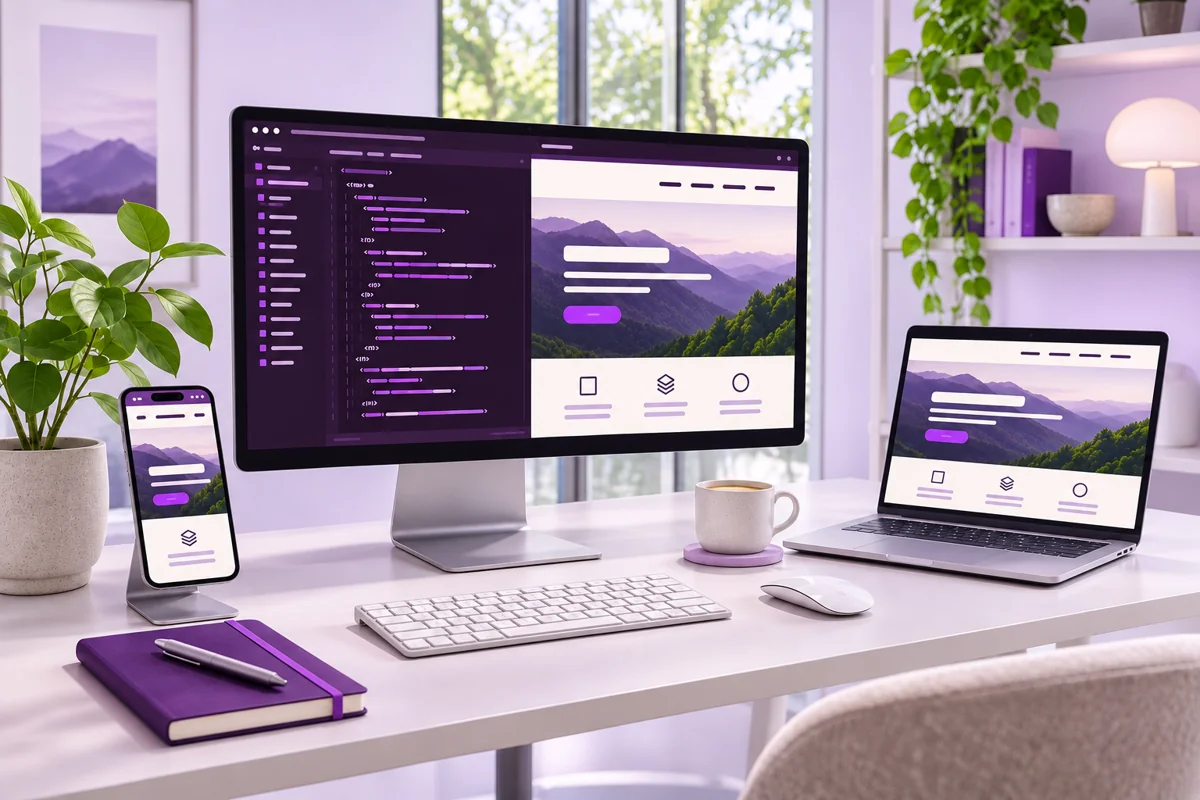
Moving to a new CMS changes what your templates, URL paths and integrations can do. We audit priority pages and review how navigation, forms, catalogue data and tracking will carry over.
Example. For a WordPress store moving to Shopify, map old product and category URLs to their new products and collections, then test the redirects and checkout before launch.

Plan how old addresses will resolve after a rebrand or domain consolidation. We map permanent redirects, update internal links and sitemaps, and check HTTPS, canonicals and Search Console verification.
Example. A bookshop moving from oldbooks.example to classics.example sends each old category to its new equivalent. Once redirects work, it can use Google’s Change of Address tool for an eligible move.

Decide what to retain, improve, merge or retire. Check page copy, metadata, headings, media and internal links as content is moved into its new templates.
Example. A store checks prices, product descriptions and specifications in the new catalogue, then confirms that priority guides, service pages and images still appear with their SEO attributes.

Review real journeys on small screens after a redesign, content update or CMS switch. Check readable layouts, tap targets, menus, forms and the visibility of important page content.
Example. After a theme change, test that shoppers can filter a category, select a product variant and complete checkout on a phone.
Find pages that earn useful external links. Give them relevant destinations, test the redirects from the original addresses and identify partner links worth updating.
Example. A trade directory still links to an old guide. Its address redirects straight to the new guide, and you can ask the directory to update the link.
Measure loading, responsiveness and layout stability on the templates people use. Review images, video, scripts, caching, hosting and CDN settings to find where the new site slows down.
Example. If the new product template loads slowly on mobile, check image sizes, unused CSS and JavaScript, caching and server response before choosing a fix.
A URL map gives developers, editors and testers a common record of what should happen to each important address during the move.
Start with a crawl and the current XML sitemaps. Add landing pages from analytics and Search Console, pages found in backlink reports, and old assets still used in campaigns, guides or partner links. A crawl alone can miss pages that have lost their internal links but still have search demand or referral visits.
Record the URL, template, current status, business purpose and evidence for keeping it. Give extra care to pages that attract relevant enquiries, sell important ranges, provide support or carry links other teams depend on.
Keep the address when it still fits. Map moved pages to the closest equivalent and check whether that page answers the same question or offers the same product range. Consolidate overlapping pages where there is a clear destination. For genuinely retired content, record the expected 404 or 410 response and remove internal links to it.
Add the expected response, final destination and sign-off owner. After implementation, test the original address through to the final page and review its response, content and indexability.
The boot collection moves, the size guide keeps its address, and an expired offer returns a deliberate retirement response.
| Old URL | Destination | Expected status |
|---|---|---|
/shop/boots | /collections/boots | 301 |
/shop/boots/walking-boot | /products/walking-boot | 301 |
/size-guide | /size-guide | 200 |
/offers/expired-sale | Retired | 410 |
Check URL paths, trailing slashes and versions that have external links. If one rule covers many URLs, sample each affected template and check exceptions. Redirect the original URL directly to its destination and update new internal links to use that destination.
A successful import puts information in the right place and keeps it useful on the new site. Set checks for records, templates and the customer-facing pages they create.
Compare how the old and new systems store page titles, descriptions, product attributes and media. Give each priority field a destination and review what happens when the format changes. A specification that moved into a free-text field may need a different approach if customers use it to filter a catalogue.
Compare a selection of old and new pages side by side. Check what appears to visitors and what the new template publishes in metadata and structured data.
Include product images, instruction sheets and PDFs in the inventory where people link to them or rely on them. Review their new addresses, availability, descriptive text and the pages that link to them. Confirm the versions visitors receive are current and readable.
If a file has moved, test existing links to the old location. Update the links you control and include the file in the redirect plan where it needs a replacement.
Sample products with multiple sizes or colours, temporary stock gaps and items that are no longer sold. Agree how their pages should behave and what message a shopper should see. Where a permanent replacement exists, choose it deliberately and record why it fits.
Check that the displayed price, stock message and available selection agree with the underlying record. For stores that use a shopping feed, include its product links and key details in the review.
Agree how to deal with changes made after a trial import. Your team may need a final export or a defined window for editors to pause updates. Record how new bookings, orders or enquiries will be handled as traffic moves to the new site.
Compare totals and a representative sample after the final update. Keep a record of the source, the import time and exceptions that need follow-up so issues can be traced to the right batch.
Use the checklist to make a go-live decision. Attach test evidence to high-priority items and confirm who can approve a fix or stop the release.
Review the scope, backup, rollback point and timing with the people who own the site. Agree a window that gives the team time to respond and keeps high-impact business events in mind. For a store or booking site, set a plan for records created during the move.
Write down what would delay launch. Examples include a failed checkout, an inaccessible lead form or a template issue affecting priority pages. Assign a named reviewer to each blocker and track approval in the release log.
Open representative old URLs as a visitor would. Check that each reaches the right live page and that the final response matches the URL map. Look for redirect loops, chains and old links in navigation, breadcrumbs and templates.
Include pages other teams promote, historic downloads, and addresses from backlinks or email campaigns. If an important redirect is missing, decide whether a single fix or a routing rule needs to change, then test nearby exceptions.
Review live crawl access, index directives, canonical tags, structured data and hreflang where relevant. Check that public pages have the agreed settings and private areas retain their controls. Compare live templates with the staging review, since deployment can change how redirects and metadata are generated.
Submit a sitemap of the intended canonical URLs in Search Console and use representative URLs to check what Google can fetch and see. Look for signals that point back to the old domain or a staging address.
Follow a realistic path from search landing page to enquiry, booking or order on mobile and desktop. Confirm the action reaches the correct inbox, booking system or order record and that the associated analytics event is recorded as expected.
Log the launch date, affected templates and changes to tracking. That gives future reports context if site traffic, recorded actions or the definition of a conversion changes around the release.
Start with the date of the move and the pages that changed. Look at search data and analytics side by side, then verify a sample of the routes and templates that account for the change.
Compare relevant dates and consider seasonality, promotions and inventory changes. Break the totals down by old and new landing pages, template, market, device and important queries. A stable site total can mask a sharp decline on a priority group, such as service pages or core collections.
Use the URL map to bring reports for old and new addresses together. Compare the same group of pages before and after release so a change in reporting labels or URL paths does not distort the picture.
Fetch affected pages and inspect the response, redirect chain, index settings, canonical and visible content. Review internal links and the sitemap to see how the new site helps people and crawlers discover the page. A template can render correctly in one browser while omitting a link or important text in the version delivered to a crawler.
If the page is live and indexable, compare its content and purpose with the old version. A moved page may need the product details, guidance or links that made it useful in the first place.
Look at Search Console clicks, recorded organic sessions and confirmed business actions. If search clicks look stable but sessions fall, check whether the analytics tag loads on the affected templates and whether consent or domain settings changed. If enquiries fall, test the form itself and ask the recipient team whether submissions arrive.
Compare with data outside the website where it is available, such as completed orders or appointment records. That helps you decide whether to prioritise tracking, conversion issues or search visibility.
Put issues that affect large groups or valuable journeys first. Give each fix an owner, a clear expected result and a review date. Re-run the original test, update the migration log and track the next crawl or reporting window.
If an old domain still receives useful visits or links, keep monitoring those routes alongside the new site. Update important partner links directly where practical and keep the agreed redirects available as people continue to use old addresses.
Scope depends on the URLs, templates, domains and markets involved, along with who will implement the changes and how much launch support your team needs.
A small site often needs decisions on a few service pages, redirects and one enquiry flow. A large catalogue can involve several page types, feed rules, data imports and many URLs that require testing. Estimate the number of groups and exceptions as well as the total number of pages.
If you are moving a domain, CMS and design at the same time, ask your team to draw up a sequence. A phased move may make review and diagnosis easier where the platform and release schedule allow it.
Your developer or hosting team may already own the release. In that case, SEO support can focus on the audit, mapping and verification. If several teams are involved, agree who can change routing, templates and analytics, and who decides whether the site is ready to go live.
Compare the migration packages for an initial review, launch validation or a wider engagement with follow-up. Your proposal can set out the agreed scope, milestones, responsibilities and review cadence.
Bring SEO in while the old site is available and the new navigation and URL structure can still change. If you’ve already moved, share the release date, old sitemaps, backups and performance data so we can trace what changed.
A migration can involve a new domain, hosting provider, CMS, site structure or redesign. The SEO checks depend on whether public URLs, page content or the infrastructure serving them will change.
Yes. Search engines may take time to revisit changed URLs. A baseline helps you investigate whether a decline follows a specific template, missing content, incorrect redirects or an indexing issue. Google’s guide to moves with URL changes
It sends visitors and search engines from an old address to its permanent replacement. We check that priority redirects go straight to a relevant live page and keep working after launch.
Include the URL inventory and map, content and metadata checks, crawl and indexing settings, redirects, XML sitemaps, page speed, customer journeys, conversion tracking and launch owners. Set out which issues would delay release and what gets checked afterwards.
The schedule depends on URL count, template complexity, access, approvals and how much content is changing. We agree the audit, staging and launch deliverables first, then set a monitoring period for the new site.
Test pages and integrations on the new host before updating DNS. Check HTTPS and response codes, monitor traffic to both environments and retire the old host once the new one is serving reliably. Google’s guide to changing hosting
Keeping the current site available while you test a separate staging copy can reduce downtime. Agree a release window, backups, a rollback owner and how your team will handle orders or enquiries created just before the switch.
Test old and new URLs, confirm priority pages can be indexed and check that forms, checkout and analytics events work. Compare page-level clicks, impressions and tracked actions with the pre-launch baseline over the agreed monitoring period.
We quote for the number of URLs and templates in scope, the staging and launch checks you need, and the monitoring and implementation responsibilities we agree with your team. View the four migration packages.
Share your current site, proposed platform or domain, and key dates. Tell us which pages, forms or sales journeys your business relies on so we can scope the review around them.